
01 · Problem
Every share was a copy nobody could take back.
Drafts went back and forth by email, finance approved in WhatsApp, and 9 of 12 people had sent an outdated version at least once.
Moving contracts into one workspace only helps if sharing inside it is as easy as forwarding an email, and much safer.
02 · Solution · Model
Four levels, each answering one question.
Rather than one long list of permissions, each level answers a single question, in the place where people ask it.
- Organisation.Who is on our team? Admin or Member.
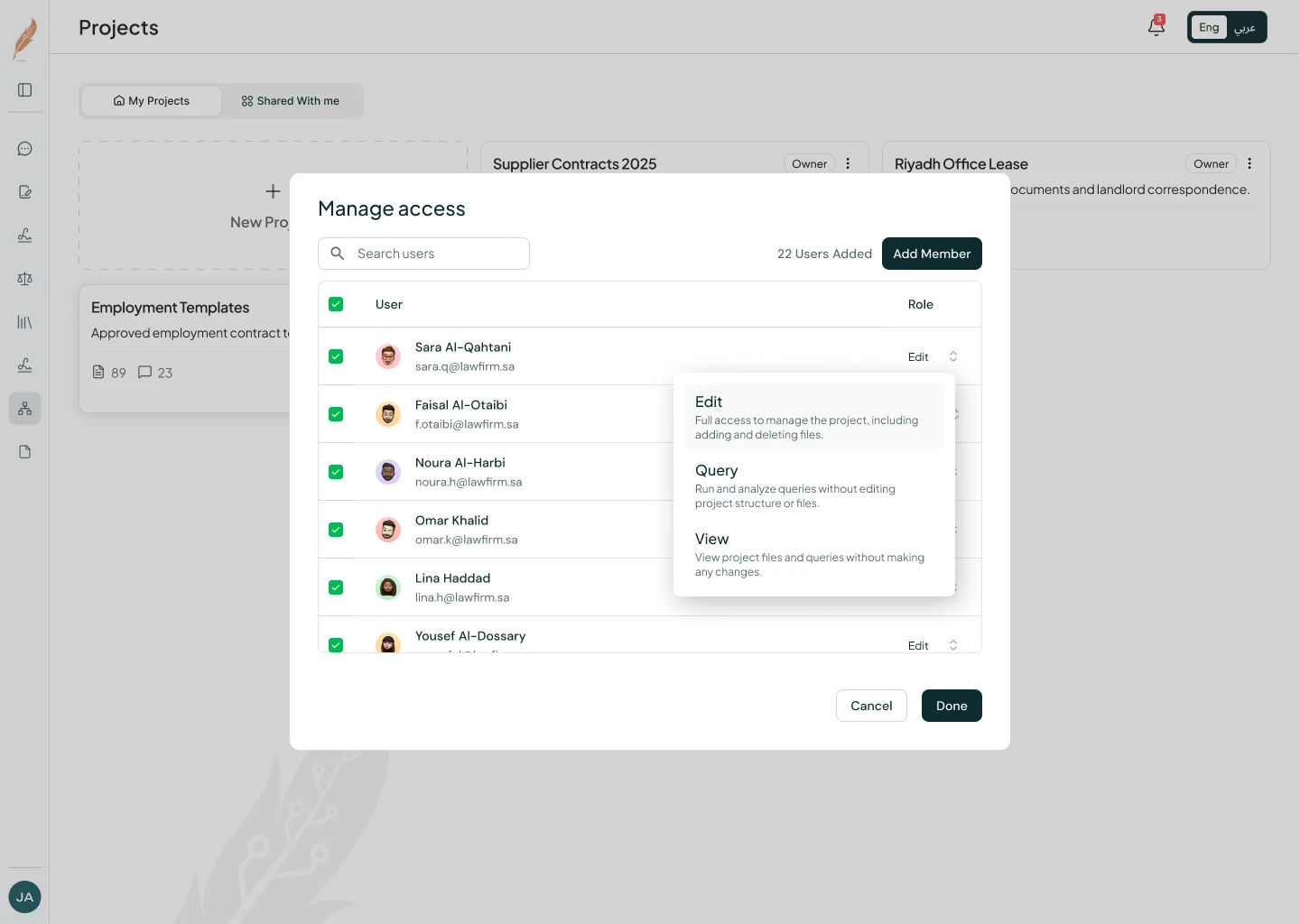
- Project.Who works on this matter? Edit, Query or View.
- Contract.Who can open this document? Per person, per file.
- Signing.Who signs, in what order, until when? With an audit trail.
03 · Solution · Key decision
A role for asking, not editing.
Reading a 60-page supply agreement isn’t what a finance approver wants. With only Edit and View, they’d get edit rights they shouldn’t have, or no way to ask.
Query lets them run questions across a project’s files without changing anything.
04 · Solution · Sharing
Sharing that stays visible and reversible.
The access list sits inside the share window, so you never grant access without seeing who already has it.
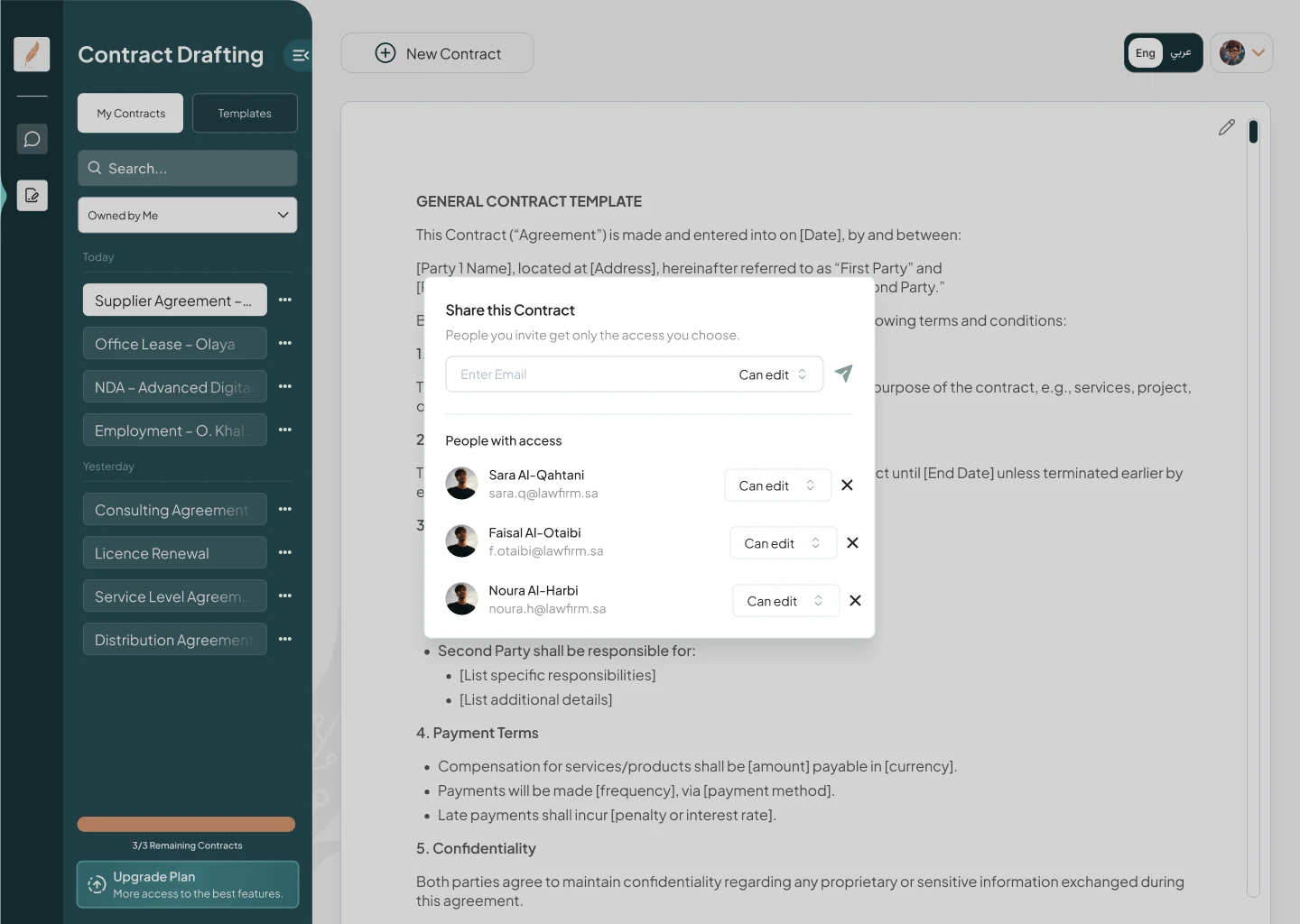
- One click to change.Revoking access happens where it was granted.
- Pending is its own state.Invited people stay greyed out, and can be withdrawn before they get in.
05 · Solution · Interface
The interface reflects your access.
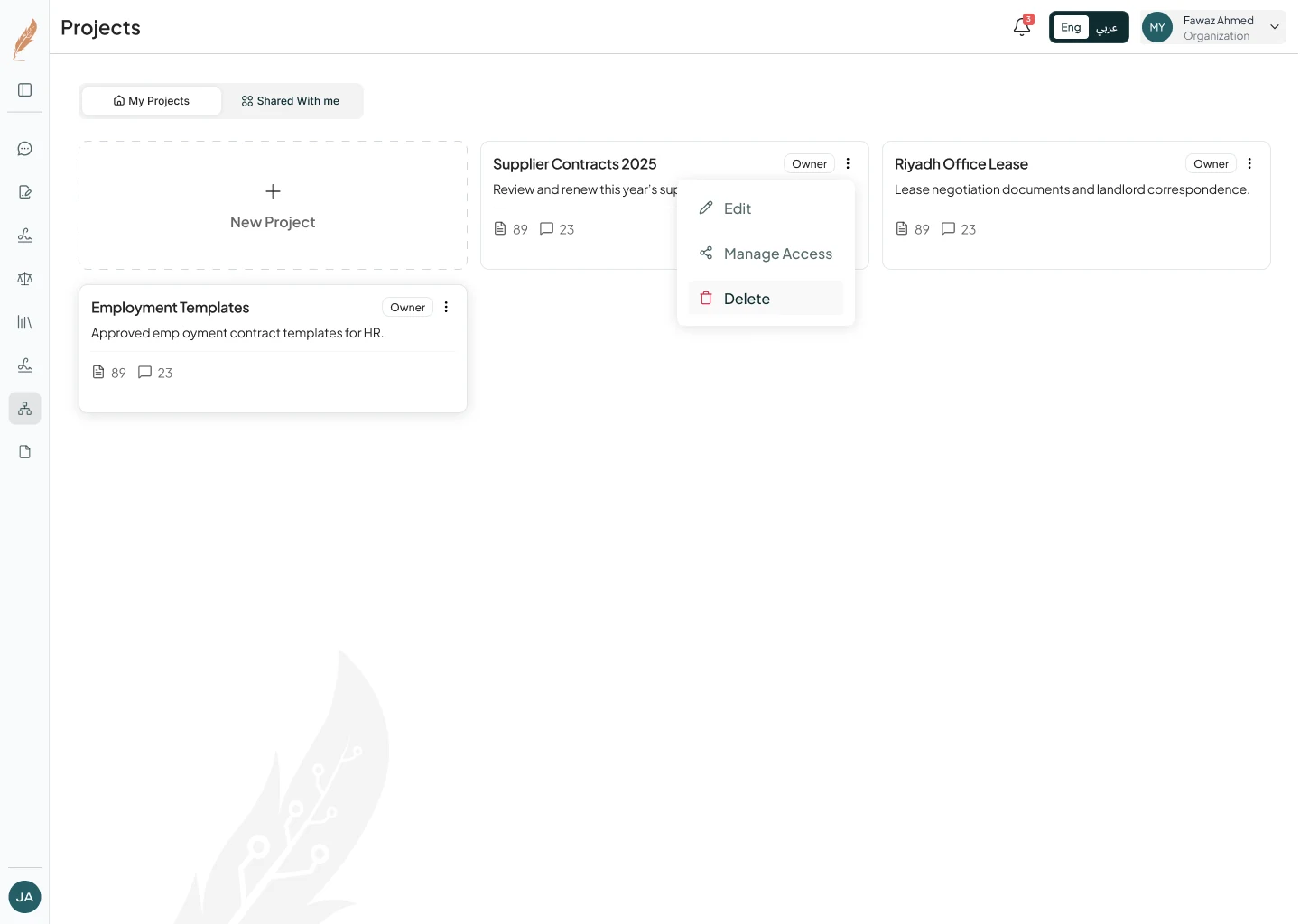
Unavailable actions are removed, not disabled. A viewer never meets a button that fails, so the menu itself tells them what their access is.
Ownership is labelled with an Owner badge, plus separate “My projects” and “Shared with me” views.
06 · Solution · Signing
Every signature leaves a record.
Signing involves people outside the company. Access for outside parties can expire, and the audit trail records every view and signature and exports as a certificate.

07 · Results & learnings
AI creates new kinds of access.
One permission model shipped across organisation, project, contract and signing, used by Malakah’s 1,000+ legal professionals.
- Describe the action, not the role.A one-line “what you can do” beat any role name, especially across two languages.
- Show access where it’s granted.It did more for safe sharing than a separate settings page would have.
Next exhibit
Brand identity · RebrandFrom generic purple to engineered clarity.